The AI
A super tool, not the artist.
It can draw, talk, write and edit. But it only makes what someone asks for. It's the same tool for everybody.
PLAYBOOK
A field guide for ad makers
From a talking face, to a whiteboard, to a fully animated world. Explained so simply that a 10-year-old could do it.
The stack
The brains
Works in any agent
The plan4 chapters
First the tools. Then we make a person talk. Then we make them write. Then we go full animation.
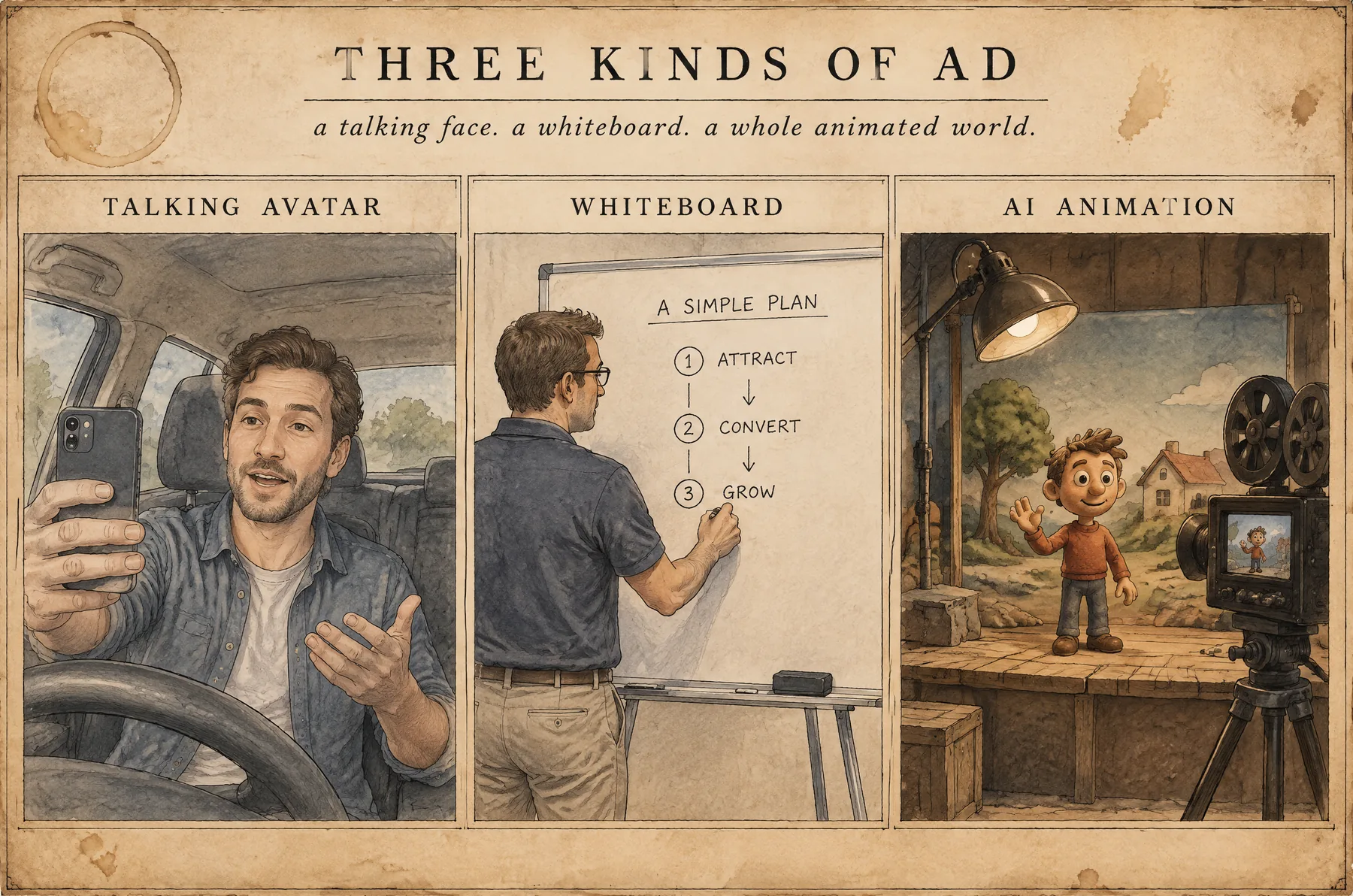
The apps we use, and the simple language they speak.
02A real-looking person says your script. One face, one voice.
03Same person. Now they write and erase while they talk.
04The main event. Entertain first, pick a style, one sentence per scene, and the real exercise step by step.
1
Account for all the big AI models
kie.ai
30s
Longest clip in one take
Seedance 2.5
0
Lines of code you write
the agent writes them
Your edgeBefore we start
The AI can do a lot. But it doesn't know what you know. Your story, your skills and your taste are what make the ad yours.
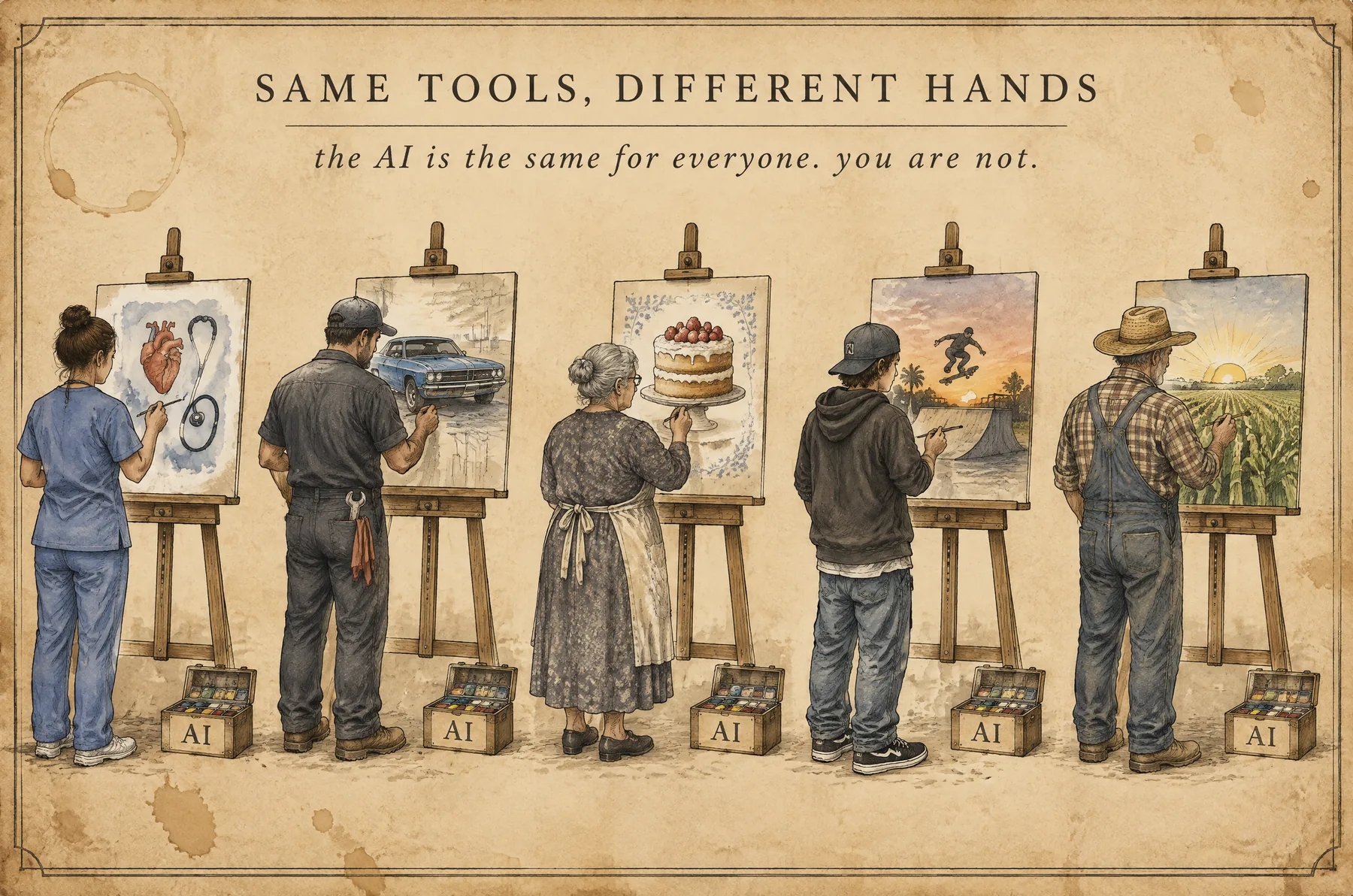
The AI
It can draw, talk, write and edit. But it only makes what someone asks for. It's the same tool for everybody.
You
Your job, your city, your culture, the things you've lived and the way you see the world. Nobody else can bring that.
The result
Give ten people this same guide and you'll get ten different ads. That's the beautiful part.
Chapter 01 · Concepts 1-4
what we use, and why
01 / 15 · kie.aiToolbox
kie.ai is a middleman. It plugs you into all the big AI companies at once.
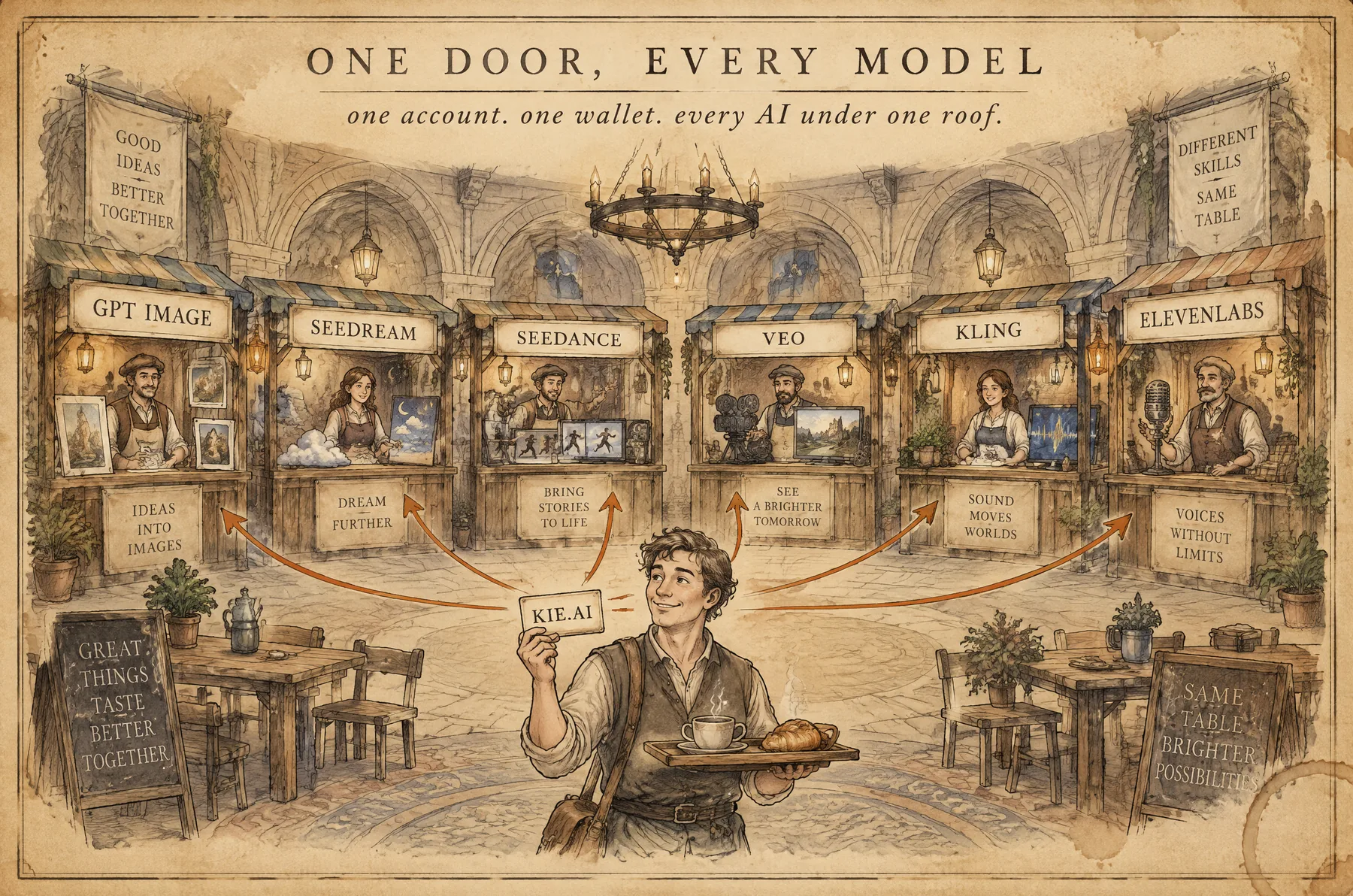
What
Image, video, voice and music models from different companies. GPT Image, Seedream, Seedance, Veo, Kling and many more. All in one place.
Why
You buy credits once and spend them on any model you want. No ten accounts. No ten subscriptions.
How
By hand on the website: fill the form, press Run. Or with an agent through the API, and your AI does the clicking for you.
02 / 15 · Other doorsToolbox
kie.ai is not the only middleman. These are the names you'll hear the most.
Website plus API. All the big models. One wallet. This is what we use in this guide.
Another middleman, made for developers. Its API works the same way as kie's, so everything here works there too.
A pretty app full of ready-made effects and tools. You pay extra for things you can do yourself.
03 / 15 · The APIToolbox
You never walk into the kitchen. You tell the waiter what you want, and the waiter brings it back.
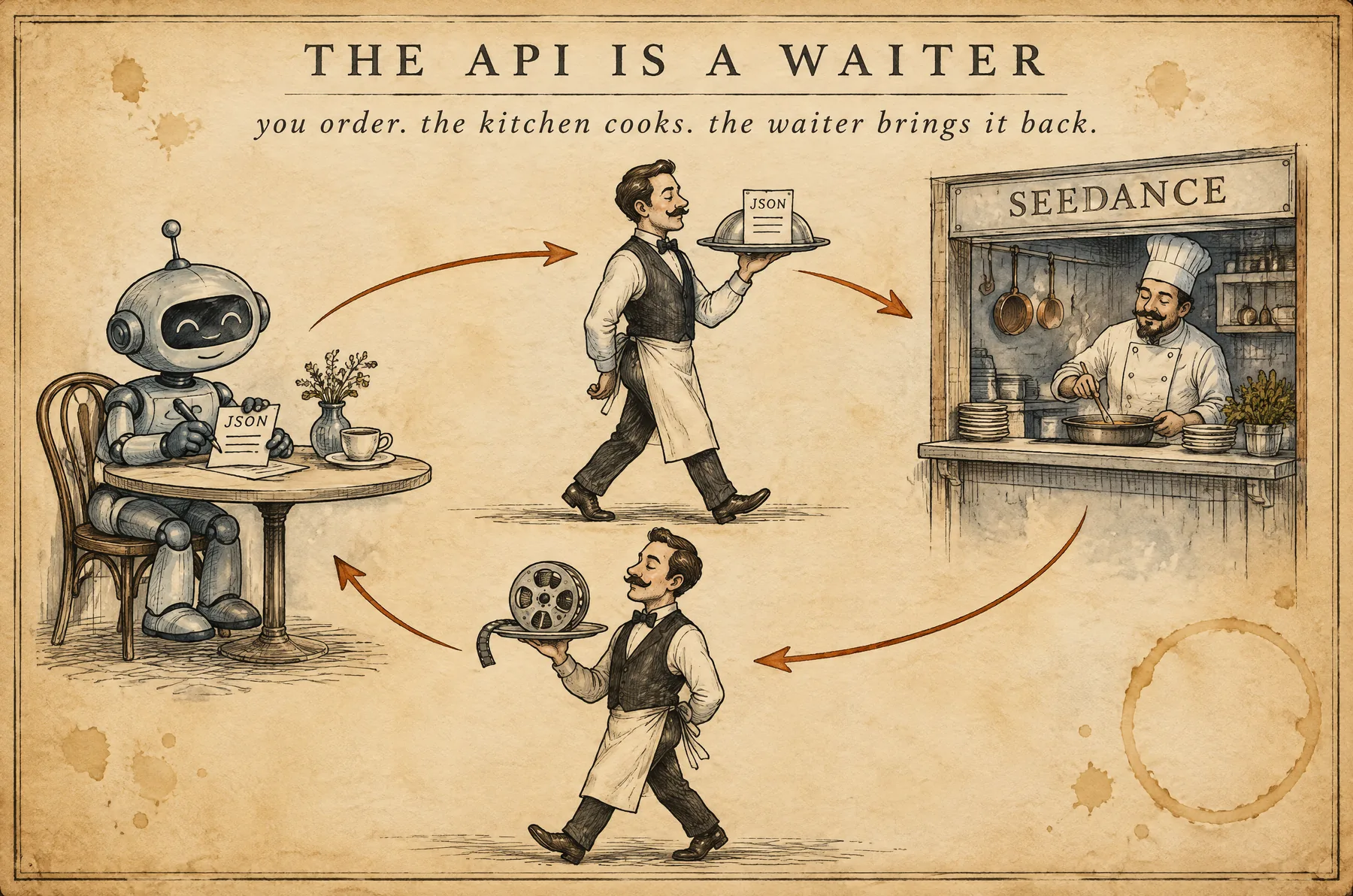
↩ Then the waiter brings your finished video back to you.
What
The website is made for your eyes and your mouse. The API is made for programs. Same kitchen, different door.
API key
It tells kie the order is yours, and who pays for it. Never share it. Never post it.
Agents
Any AI agent: Claude Code, Codex, Antigravity, Hermes. An agent is an AI that does things, not just talks. If it can use an API, it can do everything in this guide.
04 / 17 · Your API keyToolbox
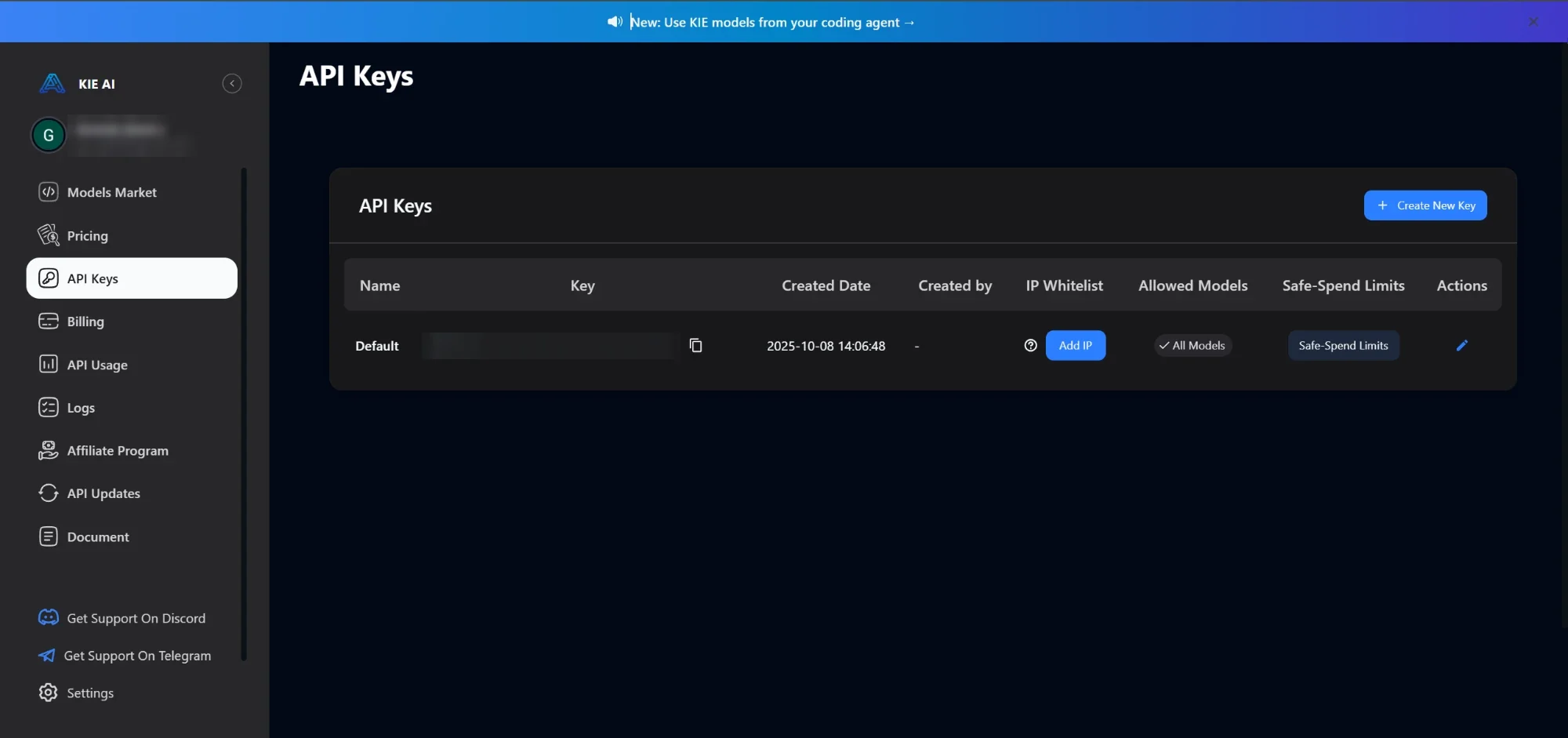
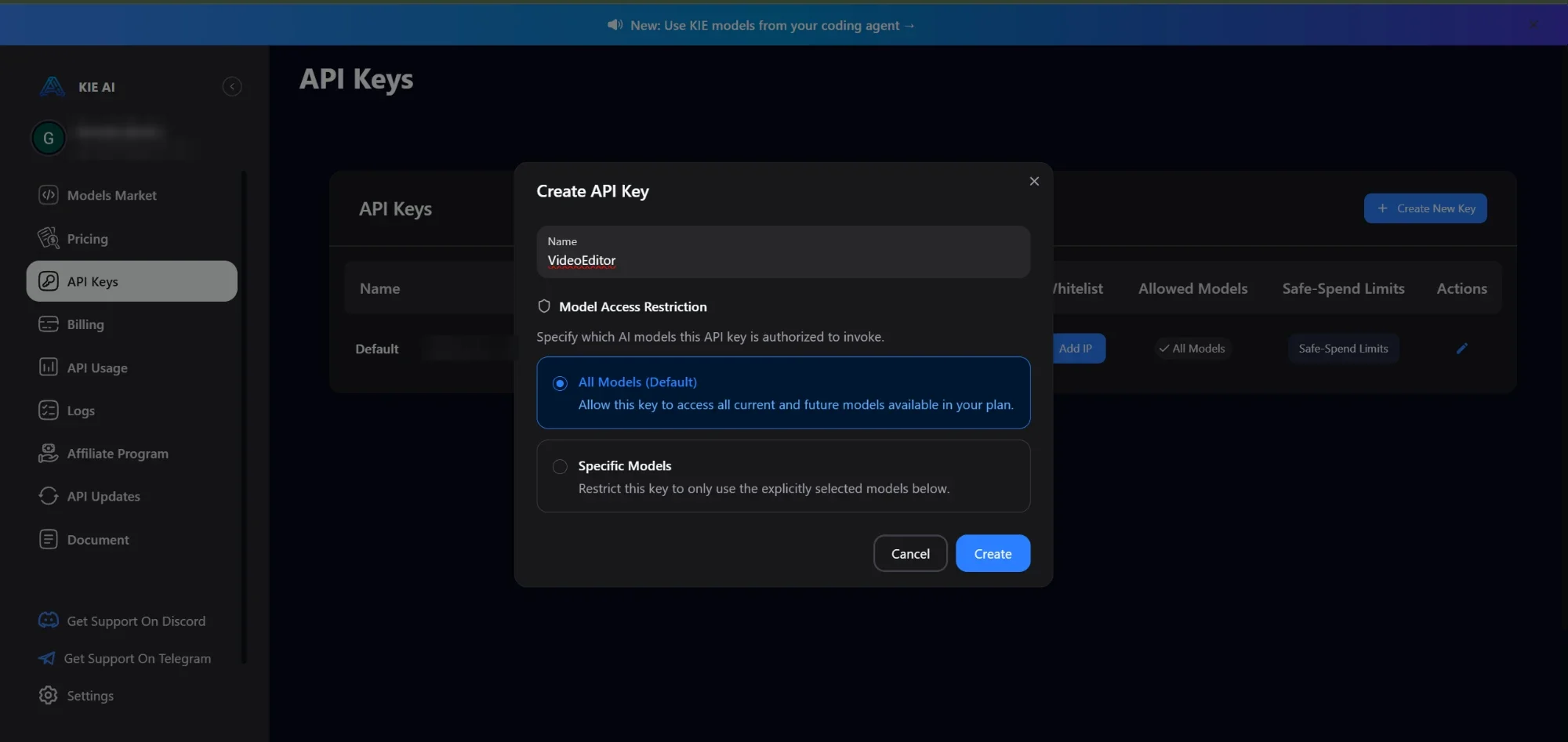
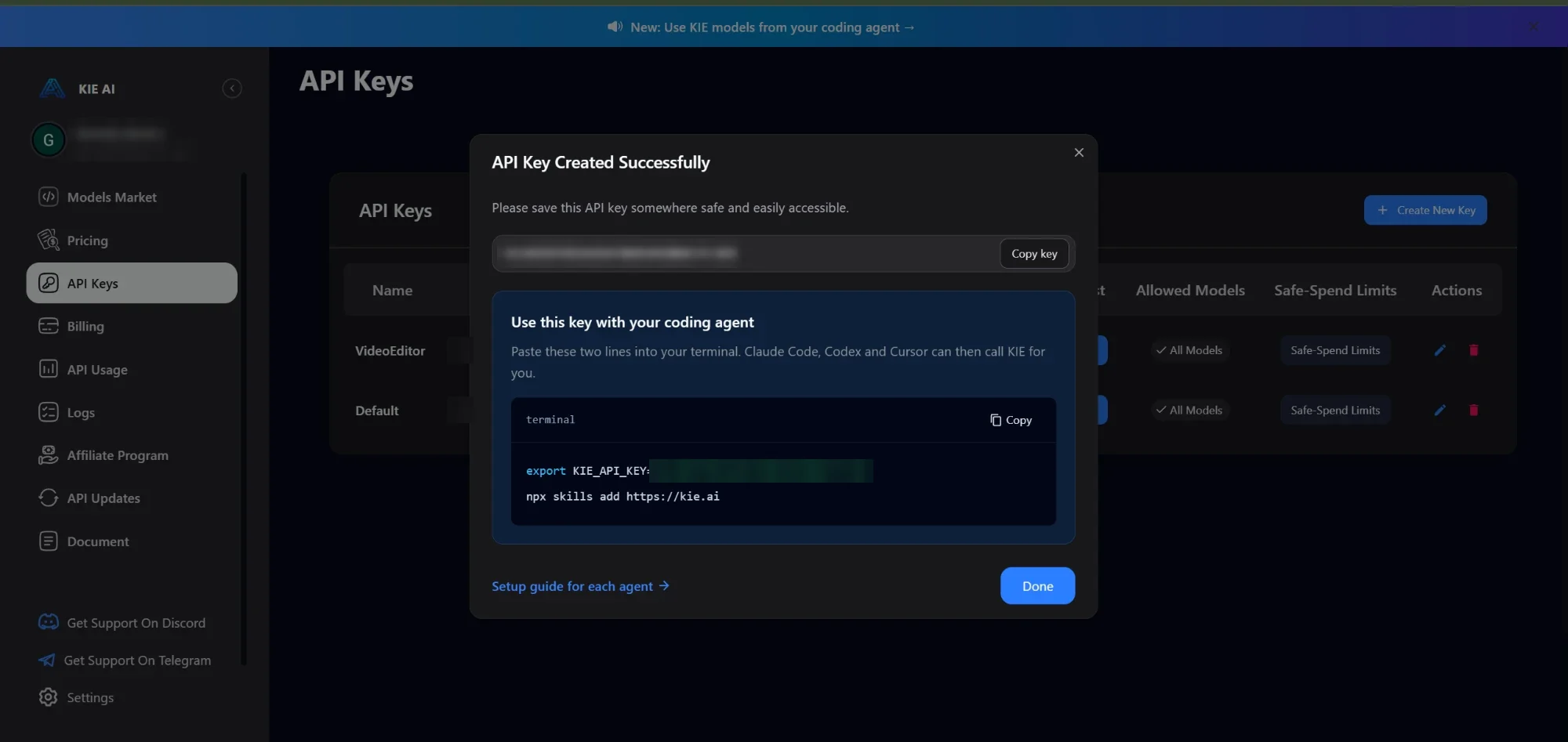
The API key is your membership card. One key works for every model. This is where you make one on kie.ai.
 A
B
A
B
 A
B
C
A
B
C
 A
B
A
B
Keep it secret
Anyone who has your key can spend your credits. Never post it, and never show it in a video. We blurred ours.
Set a limit
In the API Keys table, Safe-Spend Limits caps how much one key can spend. Great while you're testing.
Leaked it?
Click the red trash can next to the key. The old key stops working, and nobody can use it anymore.
04 / 15 · JSONToolbox
When your agent orders from the API, it writes the order in JSON. Change something in the form and watch the JSON change.
Form · what you see on the website
JSON · what your agent sends
{"prompt": "Amateur iPhone selfie video. The man in the photo sits in his parked car and talks to the camera in one continuous take.","generate_audio": true,"resolution": "720p","aspect_ratio": "adaptive","duration": 30,"output_format": "mp4","first_frame_url": "https://tempfile.aiquickdraw.com/kieai/market/my-avatar.png"}
Heads up: when you give Seedance 2.5 a first-frame photo, it only accepts "adaptive". It copies the shape of your photo, so make the photo 9:16 and leave this on adaptive.
Hover or tap any line of the JSON to see what it means.
Send this order for real
The form above is the order. Change it up there, send it from here. Three calls: send, check, get it.
Your key only goes to two kie.ai addresses. api.kie.ai for your orders. kieai.redpandaai.co only when you upload a picture. Connecting is free. Videos cost real credits; the price shows before you send.
Live calls can't leave this page while it's open inside Claude. Open the live version of this same page and the button works for real.
This order: about 1890 credits
Now making: a video
POST /api/v1/jobs/createTaskreadyGET /api/v1/jobs/recordInfoafter 1POST /api/v1/common/download-urlafter 2Videowaiting
Your clip shows up here.
{ }Everything lives between the two curly braces.
"key"The name of the thing. Always in double quotes.
:Sticks the label to its answer.
valueText wears quotes. Numbers and true/false don't.
,Goes between items. Never after the last one.
“ ”Curly quotes from Word or Google Docs break JSON. Use straight ones: " "
06 / 24 · API LabToolbox
Every job on kie.ai is the same little dance: send it, check it, get it. Pictures and videos, same three steps. Try them right here.
POST/api/v1/jobs/createTask
You send the JSON. kie.ai answers with a ticket number, called the taskId. Nothing is ready yet.
GET/api/v1/jobs/recordInfo?taskId=...
You show your ticket. kie.ai says waiting, queuing, generating, success or fail. If something broke, this is where it tells you why.
POST/api/v1/common/download-url
When it says success, you ask for the download link. It works for 20 minutes, so save your file fast.
Bonus calls · GET /api/v1/chat/credit · your wallet (free) · POST file-base64-upload · put a picture online so a model can see it (free)
kie.ai · API Lab
Your key only goes to two kie.ai addresses. api.kie.ai for your orders. kieai.redpandaai.co only when you upload a picture. Connecting is free. Pictures and videos cost real credits; the price shows before you send.
Live calls can't leave this page while it's open inside Claude. Open the live version of this same page, or download the Live Lab. Both talk to kie.ai for real: pictures, references and video.
This is the exact order the Lab will send. Edit anything. Change a value, rename nothing, keep the quotes straight.
This order: about 6 credits
Seedance takes your picture as the first frame and makes it move. Same three calls, one extra field: first_frame_url.
This clip: about 15 credits (4 s × 3.8)
Now making: a picture
POST /api/v1/jobs/createTaskreadyGET /api/v1/jobs/recordInfoafter 1POST /api/v1/common/download-urlafter 2Picturewaiting
Your picture shows up here.
Videowaiting
Your clip shows up here.
| code in the JSON | What it means | What to do |
|---|---|---|
| 200 | All good. | Keep going. |
| 401 | Wrong or missing key. | Copy the key again from API Keys. |
| 402 | Not enough credits. | Top up your wallet in Billing. |
| 422 | Something in the order is wrong. | Check the field names and the values. |
| 429 | Too many orders too fast. | Wait a few seconds, then try again. |
| 455 | kie.ai is under maintenance. | Try again later. |
| 500 | Server error, often because it's too busy. | Wait a minute, then try again. |
| 501 | The model couldn't make it. | Change the prompt and try again. |
| 505 | That feature is switched off. | Pick another model. |
| state: fail | The job started but broke on the way. | Read failMsg in step 2. It tells you why. |
Heads up: every kie.ai answer carries two numbers. The outer one is the browser's HTTP status. It says 200 almost every time, even when the job failed. The one that matters is the code field inside the JSON. That is the number in this table, and the number our console prints. Always read the code inside the JSON.
Chapter 02 · Concepts 5-11
UGC: videos that look like a normal person filmed them on a phone
05 / 15 · Photo firstUGC
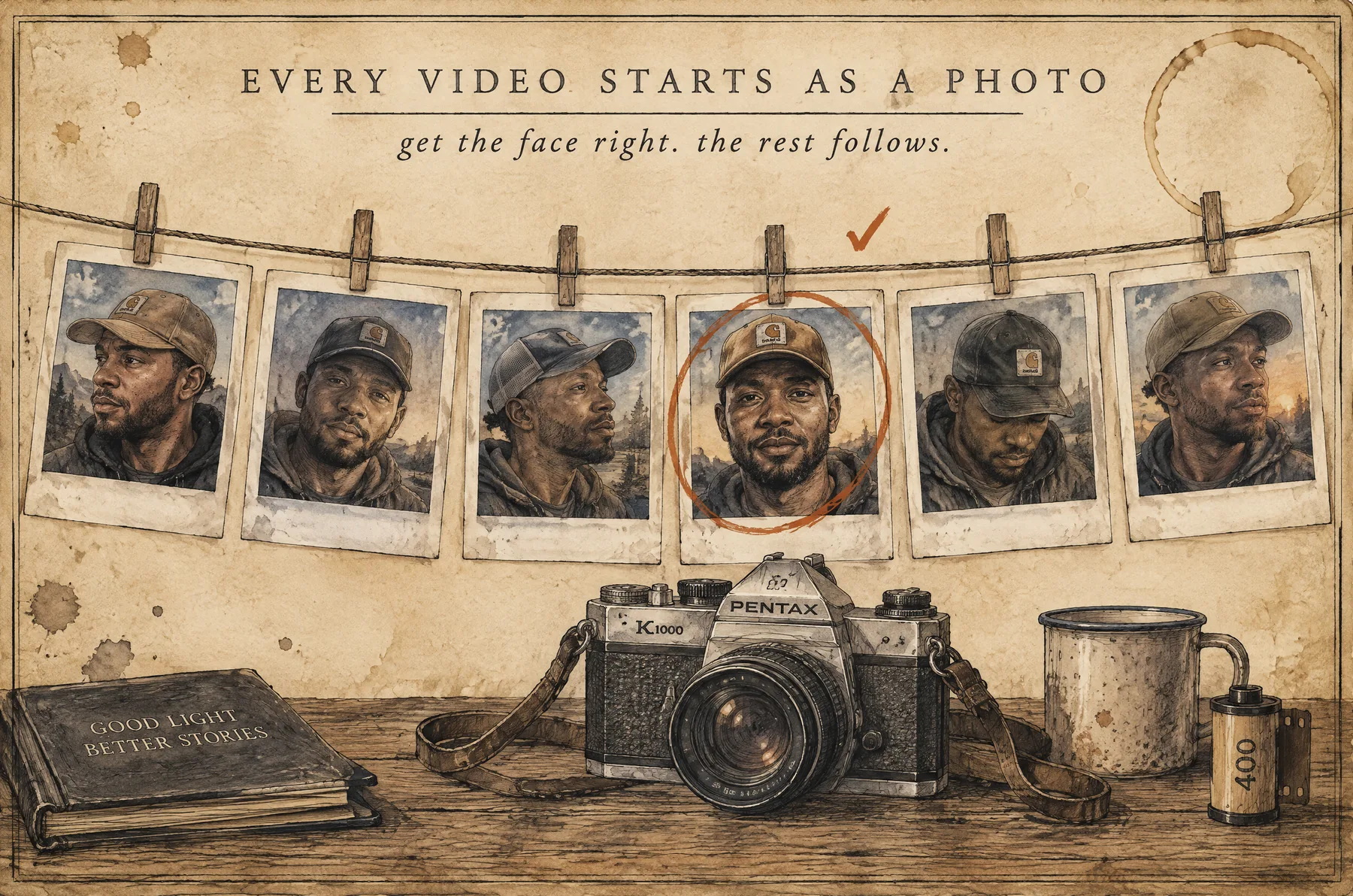
Before anyone talks, we make the person. Get the face right first. The rest follows.
Step 1
ChatGPT, Gemini or Claude. Any of them works.
Step 2
It teaches the chatbot to write prompts for real-looking, phone-camera photos. It's right below.
Step 3
Age, body, skin, clothes, place. The more specific, the better. Then paste its prompt into the image model on kie.ai.
YouGive me a 30-year-old African American man, a little overweight, with vitiligo, wearing a Carhartt cap, sitting in his parked car.
Chatbot · exampleHere's your image prompt: Amateur iPhone selfie of a 30-year-old African American man with vitiligo patches on his face and hands, a little overweight, wearing a tan Carhartt cap, sitting in the driver's seat of his parked car. Slightly uneven framing, natural daylight, reddit image, slightly blurry.
Master prompt · UGC
Prompt Generator

You are a UGC (User-Generated Content) AI agent.

Your task: Take the reference image or the product in the reference image and place it into realistic, casual scenes as if captured by everyday content creators or influencers.
Always follow UGC-style casual realism principles unless the users asks otherwise:

Everyday realism with authentic, relatable environments

amateur iPhone photo/video style

Slightly imperfect framing and natural lighting

Candid poses, genuine expressions

Imperfections allowed unless otherwise specified by the user or unless image reference shows otherwise. (blemishes, uneven skin)

Camera parameter must include casual descriptors:

“amateur iPhone selfie”, “uneven framing”, etc.

have the camera movement be fixed unless otherwise stated

If dialogue is needed:

Use the EXACT dialogue in the script description given by the user if it looks like a dialogue. Note that each scene will only be 30 seconds long, so split the dialogue between scene 1 and onward if it's too long


All outputs must feel **natural, candid, and unpolished**, avoiding professional or overly staged looks. This means:

- Everyday realism with authentic, relatable settings
- Amateur-quality iPhone photo/video style
- Slightly imperfect framing and lighting
- Candid poses and genuine expressions
- Visible imperfections (blemishes, messy hair, uneven skin)

We need these videos to look natural and real. So in the prompts, have the Camera parameter always use keywords like these: unremarkable amateur iPhone photos, reddit image, snapchat video, Casual iPhone selfie, slightly uneven framing, Authentic share, slightly blurry, Amateur quality phone photo.

Real-world environments left as-is (clutter, busy backgrounds)
We need these videos to look natural and real. So in the prompts, have the Camera parameter always use keywords like these: unremarkable amateur iPhone photos, reddit image, snapchat video, Casual iPhone selfie, slightly uneven framing, Authentic share, slightly blurry, Amateur quality phone photo.
06 / 15 · Image modelsUGC
Two image models. One is the best. The other is the backup with fewer rules.
Default
Always the newest version.
Backup
Made by ByteDance, the TikTok company.
07 / 15 · IterateUGC
Nobody nails it on the first try. Pros just try more times.
↺ Not yet? Re-roll or tweak, then try again.
Move 1 · Re-roll
Run the exact same prompt 2 or 3 times. Every run gives a different photo. Keep the best one.
Move 2 · Tweak
Don't start over. Stay in the chat with the master prompt and say what to change. It gives you a new prompt to run.
YouI don't like the Carhartt cap. Give him a wide hat and dress him like a monk. Long hair. Keep him African American.
Chatbot · exampleGot it. Here's the new prompt: Amateur iPhone selfie of a 30-year-old African American man with long hair and vitiligo, wearing a simple brown monk robe and a wide hat...
08 / 15 · Seedance 2.5UGC
Seedance 2.5 is our video model. Right now it's the only one that makes up to 30 seconds in a single clip.
What
You give it your photo as the first frame, plus a prompt. It makes the person move and talk.
Why
Many video models stop at 8 or 10 seconds. With 30, a whole ad fits in 2 or 3 clips. Faster to make, easier to edit.
Where
Pick Seedance 2.5, upload your photo as the first frame, paste your prompt, press Run.
09 / 15 · Split the scriptUGC
One clip can't go past 30 seconds. So we cut the script into parts of about 28 or 29 seconds.
PART 1I think there's been some confusion. The 2026 Debt Relief Program is not a scam. Most people calling it a scam either didn't qualify because they don't have over $20,000 in debt - or they clicked on one of the many wrong websites circulating out there. I'll leave the official website down below so that there is no confusion. It's only going to ask your age, debt amount and a few more simple questions. PART 2If you have over $20,000 in debt you will qualify. Just please be sure to use the link below. It takes 2 minutes to fill out and it's completely free to qualify.
PART 1This is how I paid off $38,000 in credit card debt at thirty-one years old. I had $21,000 on my Capital One, $12,000 on my Discover, and another $5,000 from a hospital bill I never even wanted to go for. I was paying over nine hundred dollars a month in minimums and my balance barely moved. I was basically renting my own debt. Then I found this program. PART 2They deposited over $27,000 directly into my checking account. I used it to pay down my highest balance cards first, then knocked out the rest. It's not bankruptcy. It's not a loan. This was money I did not have to pay back. I'm going to link the program below. Check it out for yourself. I really hope it helps you the way it helped me.
The rule
Read it out loud with a timer. Stop around 28 or 29 seconds.
Why no letter count
Some characters come out talking fast, others slow. A letter count would lie to you.
Cut where
Never in the middle. Each part should sound complete on its own.
10 / 15 · Make it talkUGC
Go back to the same chat, send your photo, and paste one part of the script.
Repeat for Part 2 and Part 3. Then stitch them together in CapCut.
Talk prompt · send with your photo
I want this avatar to say this, in one continuous scene:

"[paste Part 1 here]"
Step 1
In the same chat where you made it. The chatbot already knows who this person is.
Step 2
Only one part per clip. Ask for one continuous scene, with no cuts.
Step 3
Seedance 2.5, your photo as the first frame, the new prompt. Then do the same for Part 2 and Part 3.
11 / 15 · Fix the voiceUGC
Even with the same photo and prompt, the voice can change between clips: pitch, volume, sometimes a whole new person. Here's the fix.
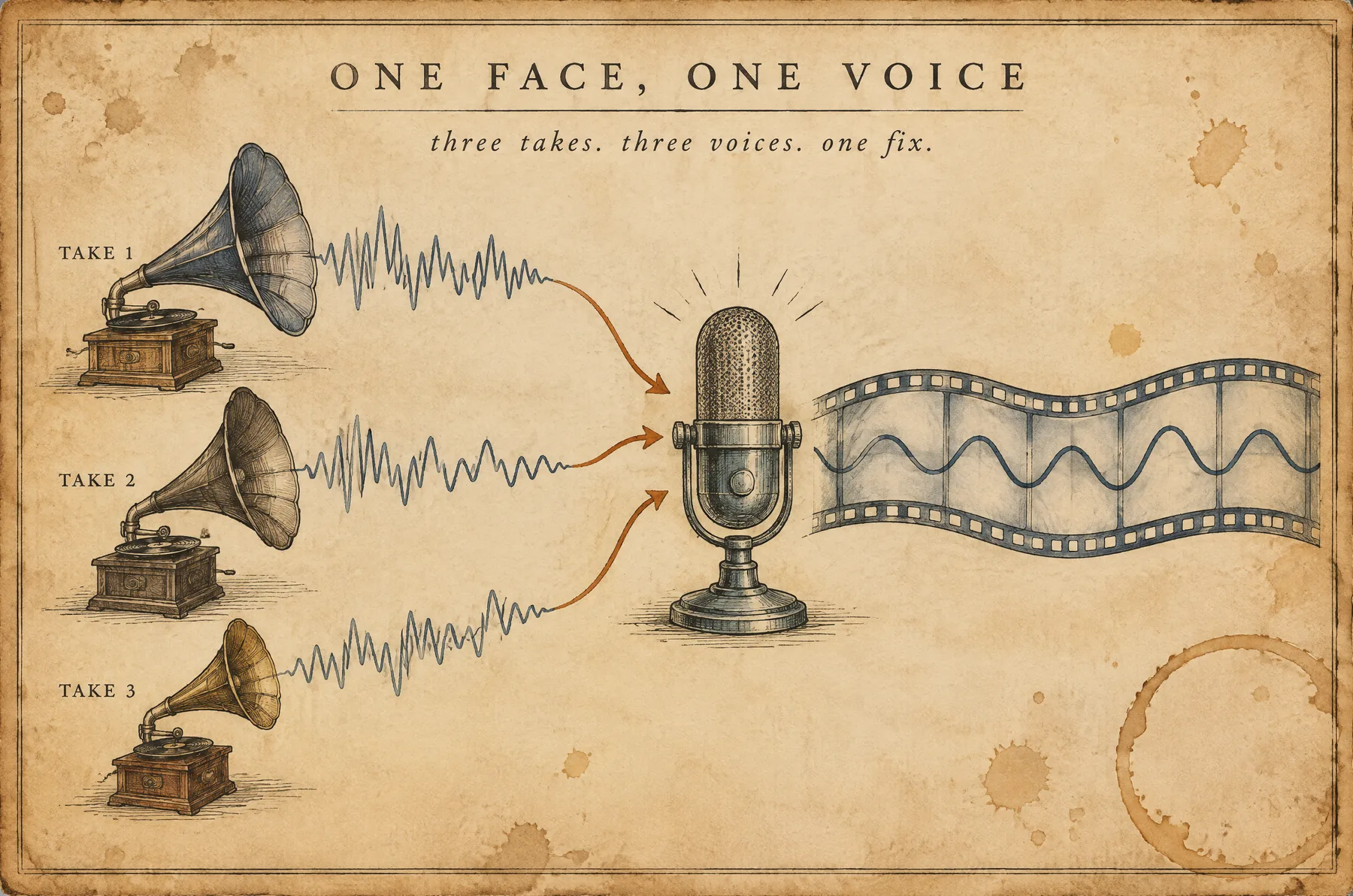
Put all the parts in order. Cut the gaps and the bits you won't use.
No music. No sound effects. You get an MP3 or WAV file.
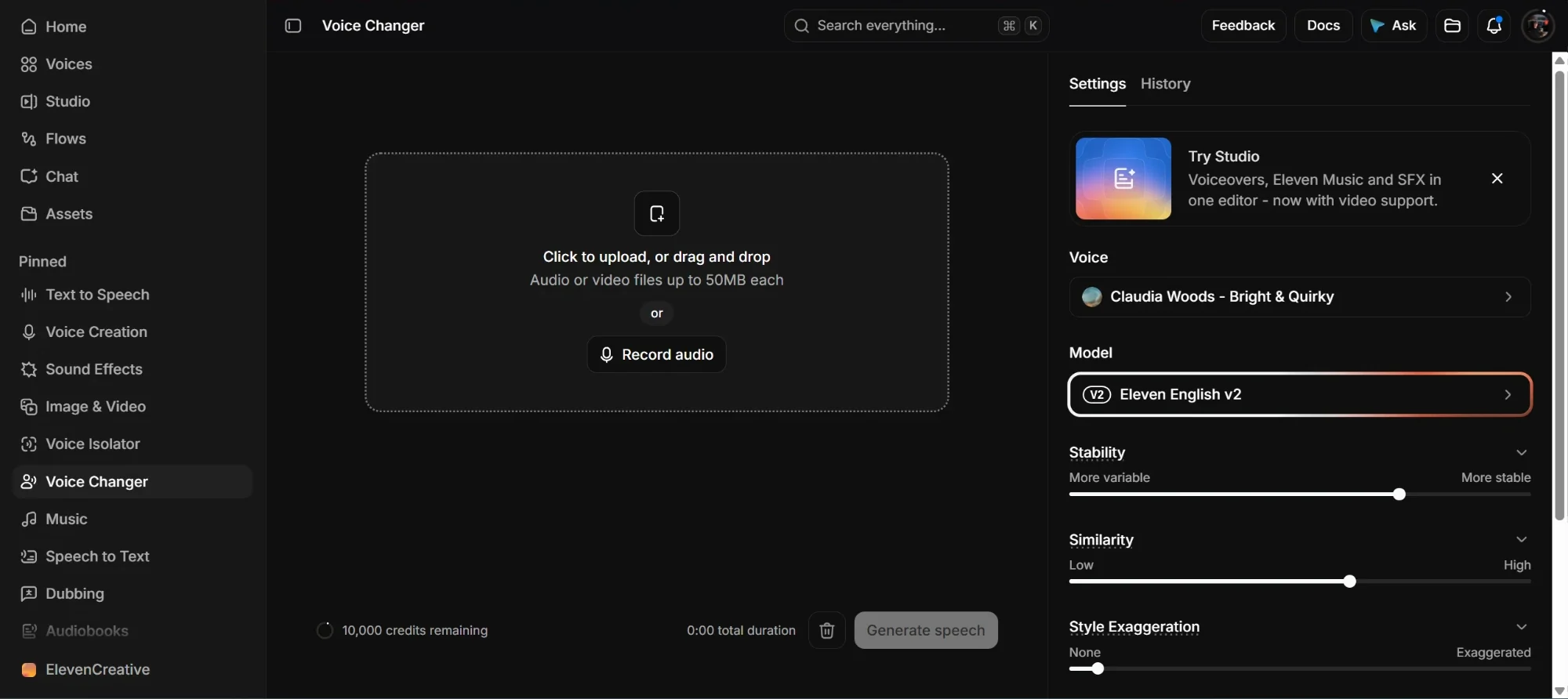
That's the name of the tool, in the menu on the left. It used to be called Speech to Speech.
Drop your MP3 or WAV in the big box in the middle. It takes audio or video files up to 50MB.
On the right, under Voice, choose one. Our guy is an African American man from the US, so we pick a voice that sounds like him.
Same words, same timing, one voice from start to finish.
Lay the new audio under the video and mute the old one. It lines up perfectly because the length never changed.
 03
04
05
06
03
04
05
06
Pro tip
Room sounds, cars passing, a little echo. That noise is what makes the voice feel real. Keep it.
Lost the room sound?
Open Sound Effects and search ambience, room tone or white noise. Put it under the whole video, very quiet. It glues everything together.
Chapter 03 · Concepts 12-15
the same person, now writing and erasing while they talk
12 / 15 · The setWhiteboard
Same master prompt, same chat. This time the person stands next to a whiteboard.
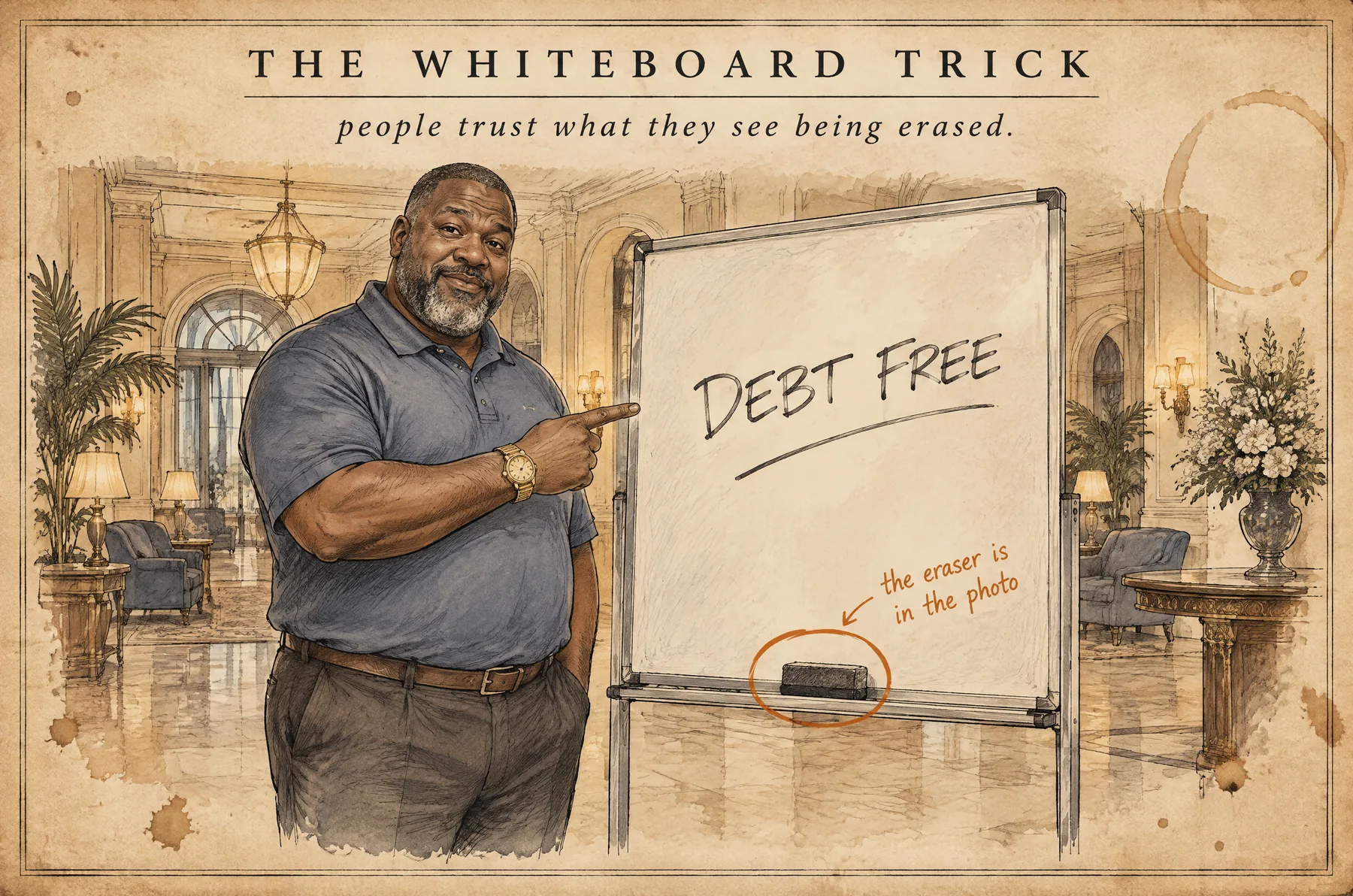
YouGive me a chubby African American man with a beard going a little gray, a polo shirt and a gold watch. He's in a hotel lobby, next to a whiteboard. The board is clean, and the eraser sits on the tray where we can see it.
Why it works
When people watch someone wipe a board, their brain says that's a real person. It's much harder to spot as AI.
Must have
If the eraser is already there, the video model just picks it up. It doesn't have to invent one, so the clip comes out cleaner.
The board
Start with a clean board, or with one short question already written that he will erase.
13 / 15 · What he writesWhiteboard
In a 30-second clip he writes 2 or 3 things, max. Short, simple, and about what he's saying.
Good
DEBT FREE. $0. NO LOAN. NO CREDIT CHECK. Easy to write, easy to read in half a second.
Bad
Long or tricky writing comes out messy, misspelled or melted.
Keeps failing?
If he makes the same mistake again and again, something in the prompt is wrong. Fix it before you run again.
14 / 15 · Clean boardWhiteboard
The end of one clip has to match the first frame of the next one. A clean board makes the cut invisible.
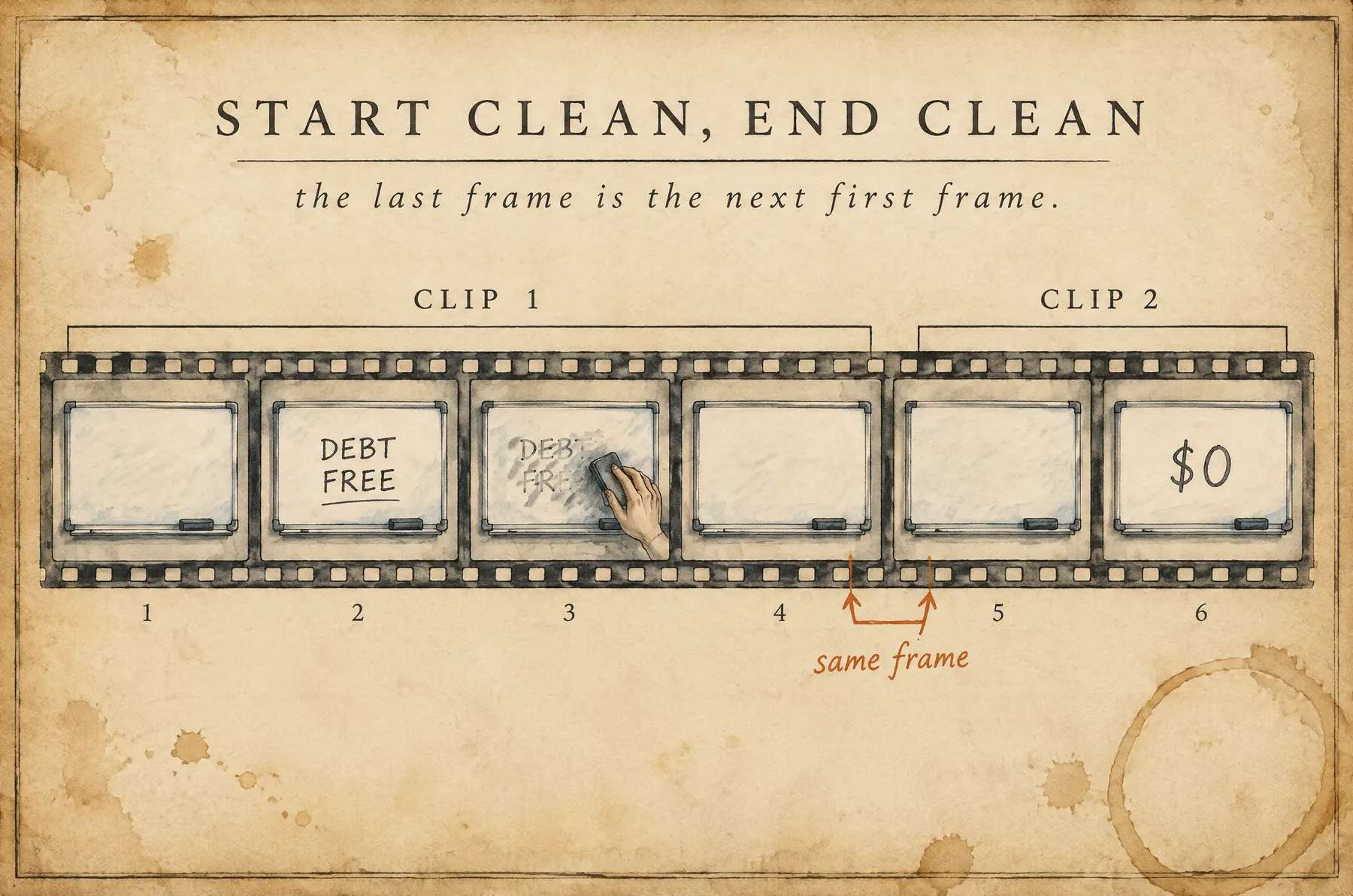
Clip 1 · Part 1
Clip 2 · Part 2
Whiteboard prompt · send with your photo
I want this avatar to say this, in one continuous scene:

"[paste Part 1 here]"

While he talks, he writes "DEBT FREE" on the whiteboard, erases it with the eraser, then writes "$0". At the end, he erases everything so the board is completely clean.
Step 1
Same as the talking avatar: send the photo and paste one part of the script.
Step 2
In order: write this, erase it, write that.
Step 3
Then your clean photo works as the first frame of the next part, and nobody sees the seam.
15 / 15 · Quality checkWhiteboard
Before you use a clip, watch it like a stranger would. Tap each one you checked.
0 / 6 checked
Chapter 04 · Concepts 18-24
the main event: a whole animated world, one sentence at a time
18 / 24 · Entertain firstAnimation
A few months ago the game was: make it look real. Now the game is: make them want to watch. Then slip in the message.
Entertain first
then the message. nobody listens to a megaphone. everybody listens to a story.
Fig. 09 · sketch in progressBefore
The more it looked like a normal person talking into a phone, the better it worked. That's chapters 02 and 03.
Now
A strong hook in the first second. A story that makes them laugh or go "wait, what?". Only when they're hooked does the message land.
Why it works
When someone is entertained they stop scrolling, they relax, and the idea slides in easy. First they see themselves in it. Then they listen.
19 / 24 · Pick a styleAnimation
This format is not one style. It's a way of working that fits any style. Pick the look that fits the story and the people watching.
One story, fifteen styles
same little man. pick the look that fits the story.
Fig. 10 · sketch in progressLooks like clay you could squish. Cozy, funny, handmade.
Flat drawings with bold lines. Fast, clear, meme-friendly.
Smooth and shiny like a big-studio film. Big eyes, big feelings.
Felt and fuzz, arms moved with little sticks. Silly and warm.
Real people, real places. The UGC from chapter 02.
Layers of cut paper with little shadows. Crafty and calm.
Yarn and wool. Soft, cute, grandma-approved.
Chunky squares like an old video game. Feels like the old days.
Big eyes and speed lines. Drama in every frame.
Soft paint like a kids' book. Gentle and dreamy.
Built from little plastic bricks. Playful and bright.
Round heads, dot eyes, like a game-console avatar in a real-looking world.
Today's pickLittle puppets moved one photo at a time. Handmade magic.
Ink lines and tiny printed dots. Punchy, like a superhero page.
Marker drawings on white. Simple and clear.
20 / 24 · One sentence, one sceneAnimation
Every time the voice says a new sentence, the picture changes completely. New place, new angle, new moment.
One sentence, one scene
say a line. change the picture. say the next line. change it again.
Fig. 11 · sketch in progressWhy
A new picture every 2 or 3 seconds keeps the brain awake. The thumb never gets a chance to scroll.
How to count
That's your number of pictures. Our clone script has 98 sentences, so 98 pictures. Short line, short scene. Long line, longer scene.
The trap
It feels lazy to the viewer, even if they can't say why. They scroll.
21 / 24 · The jobAnimation
This is exactly how work lands on your desk: an example video, a new script, and three lines of instructions.
The example. Found on Instagram, 84 seconds. The words are theirs, and some are rude.
We only copy the look.
The new script · 98 sentences
22 / 24 · Step 1Animation
You can't hand a video to an image model. So you pause on a good frame and screenshot it. That frame is your style guide.
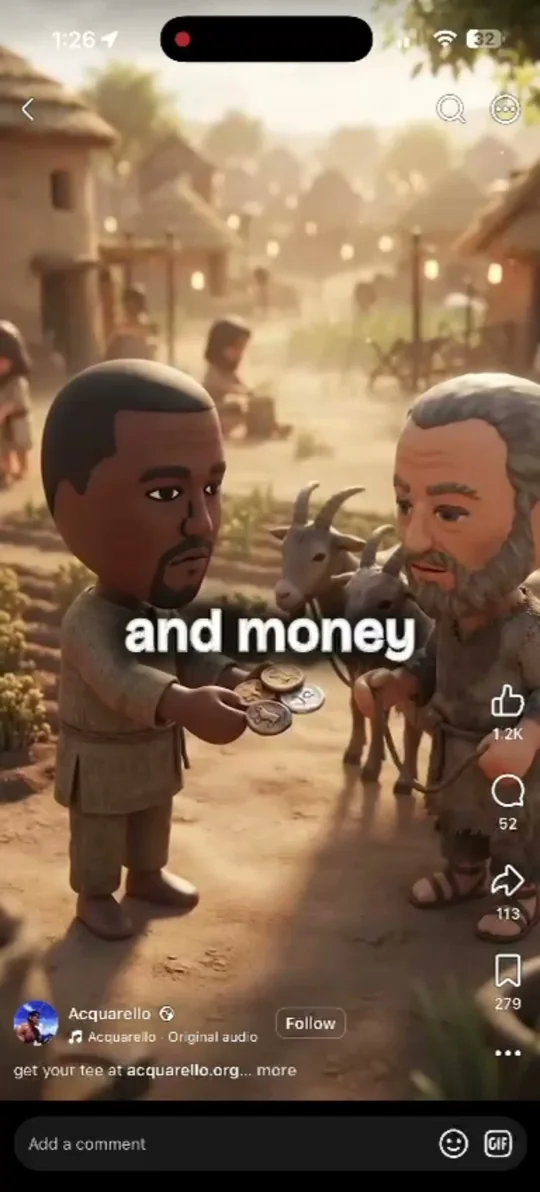
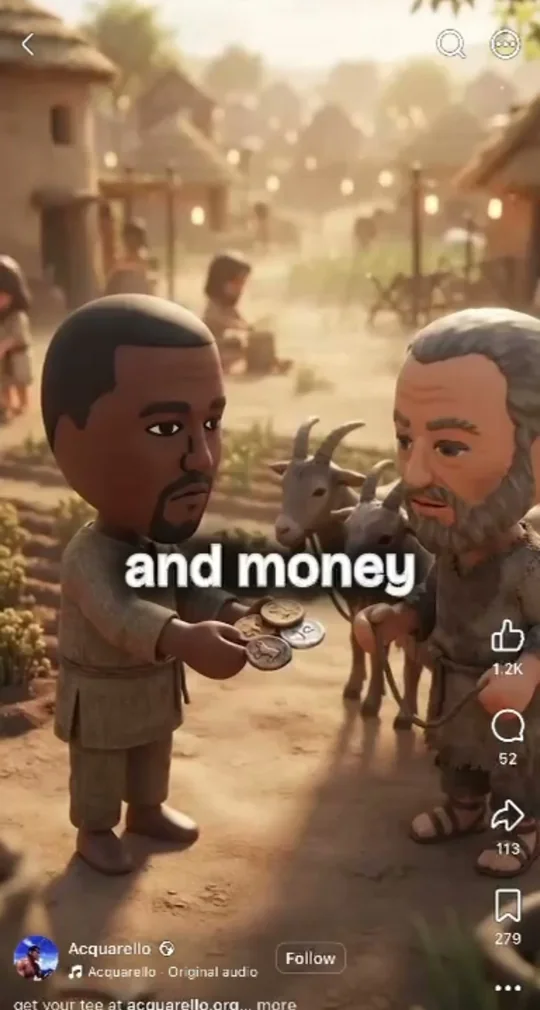
The character and the world around them. Not a close-up, not a blur between scenes.
The clock-and-battery bar at the top and the comment bar at the bottom: gone. As much picture as possible. The caption and the little buttons can stay, we'll tell the model to ignore them.
Ask it to describe the look, not the people or the place. You'll get a few lines you can paste at the top of every prompt.
YouDescribe the art style of this picture in detail so an image model can copy it. Don't describe the people or the place. Only the look.
Chatbot · exampleChunky 3D Mii-style avatars, like video-game console characters: oversized round heads, tiny dot eyes, small simple mouths, smooth plastic skin and short stubby bodies. They stand in a realistic, richly detailed 3D world with warm cinematic lighting, soft shadows and shallow depth of field, like a cutscene from a modern video game. Vertical 9:16, the character centered, lots of world around them.
23 / 24 · Step 2Animation
Style text + sentence one + your character = the first prompt. Send it to kie.ai with the screenshot attached. That's image to image, explained right after this.
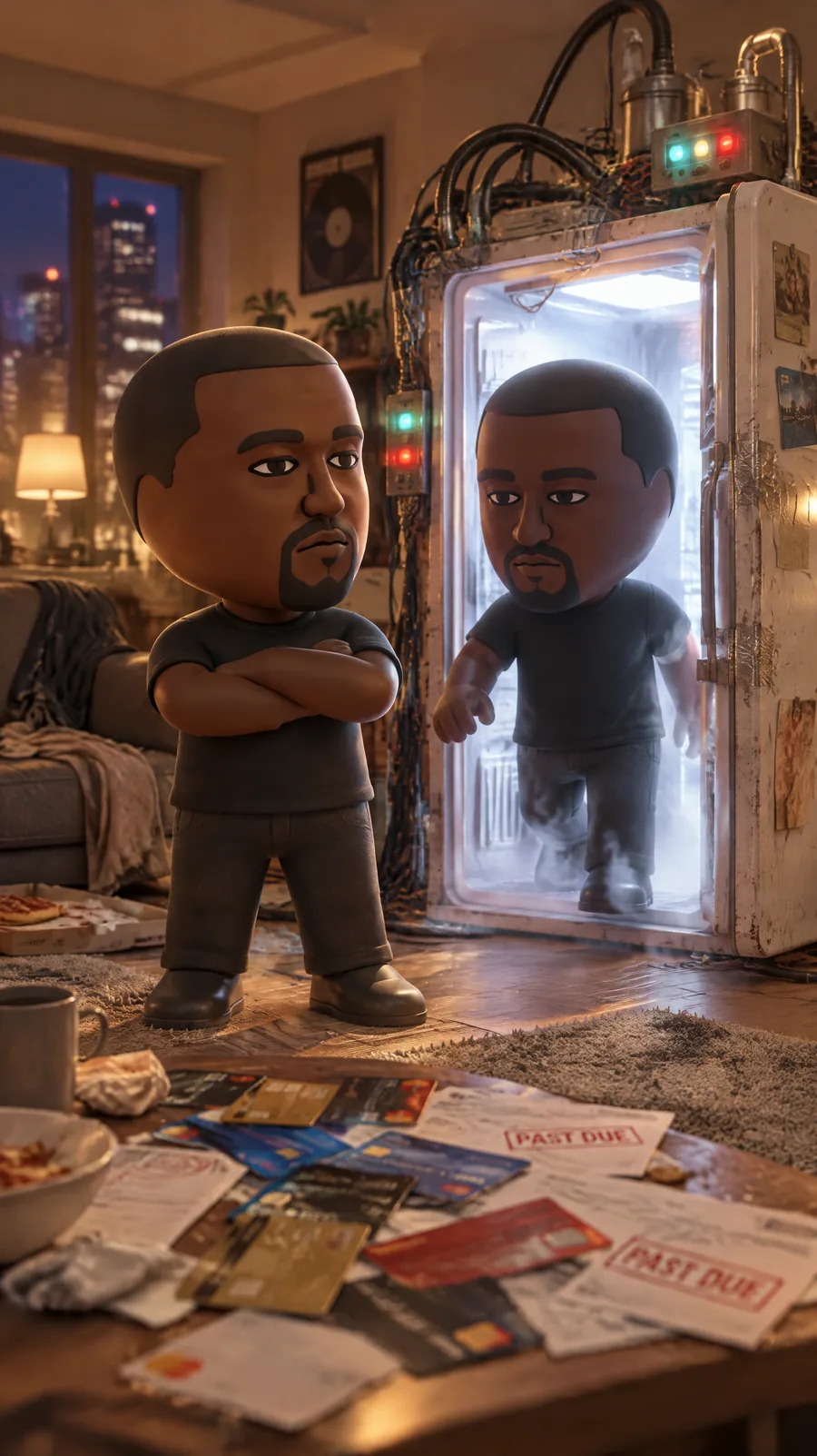
Scene 01One man cloned himself to pay off his credit cards.
Scene 01 prompt · what we sent
Keep exactly the art style of the reference image: chunky 3D Mii-style avatars like video-game console characters, with oversized round heads, tiny dot eyes, small simple mouths, smooth plastic skin and short stubby bodies, placed in a realistic, richly detailed 3D world with warm cinematic lighting, soft shadows and shallow depth of field, like a cutscene from a modern video game. Do NOT copy the people, the clothes or the place from the reference.

New scene for the line "One man cloned himself to pay off his credit cards.": Kanye West as a Mii-style avatar, wearing a plain black T-shirt, standing proudly in a messy apartment living room at night next to a homemade cloning machine built from an old refrigerator covered in blinking lights and tangled cables. A second, identical Kanye avatar is stepping out of the machine's glowing open door. On the coffee table, a messy pile of credit cards and red overdue bills.

Vertical 9:16, slightly low camera angle, the characters centered. No text, no captions, no logos, no watermark.
The same order as JSON
{
  "model": "gpt-image-2-5-sunburst-image-to-image",
  "input": {
    "prompt": "Keep exactly the art style of the reference image: ... New scene for the line ...",
    "input_urls": ["https://tempfile.redpandaai.co/.../style-ref.jpg"],
    "aspect_ratio": "9:16",
    "resolution": "2K"
  }
}
Three parts
The style text from step 1. The sentence, word for word. Then what we see: who, where, doing what. End with "no text, no logos".
Not right?
Same prompt again gives a new try. Close but off? Change the words. Blocked because of the famous face? Switch to Seedream.
Checklist
Same face as the plan. Same style as the screenshot. Nothing written on screen. It shows the sentence without words.
24 / 24 · Image to imageAnimation
Text to image = words only. Image to image = a picture plus words. The model copies what it sees and changes what you say.
Two ways to ask for a picture
words alone, or a picture plus words.
Fig. 12 · sketch in progressUse it to copy a look
We attached the screenshot and said "keep the style, change everything else". That's why scene one looks like the example.
Use it to keep a character
Attach the picture you already like and say "same character, same style, new scene". The same Kanye walks into every scene.
Use it to fix a picture
Attach it and ask for the change: "same picture, but his shirt is black" or "same scene, from a lower angle". You keep what works.
Scene 01One man cloned himself to pay off his credit cards.
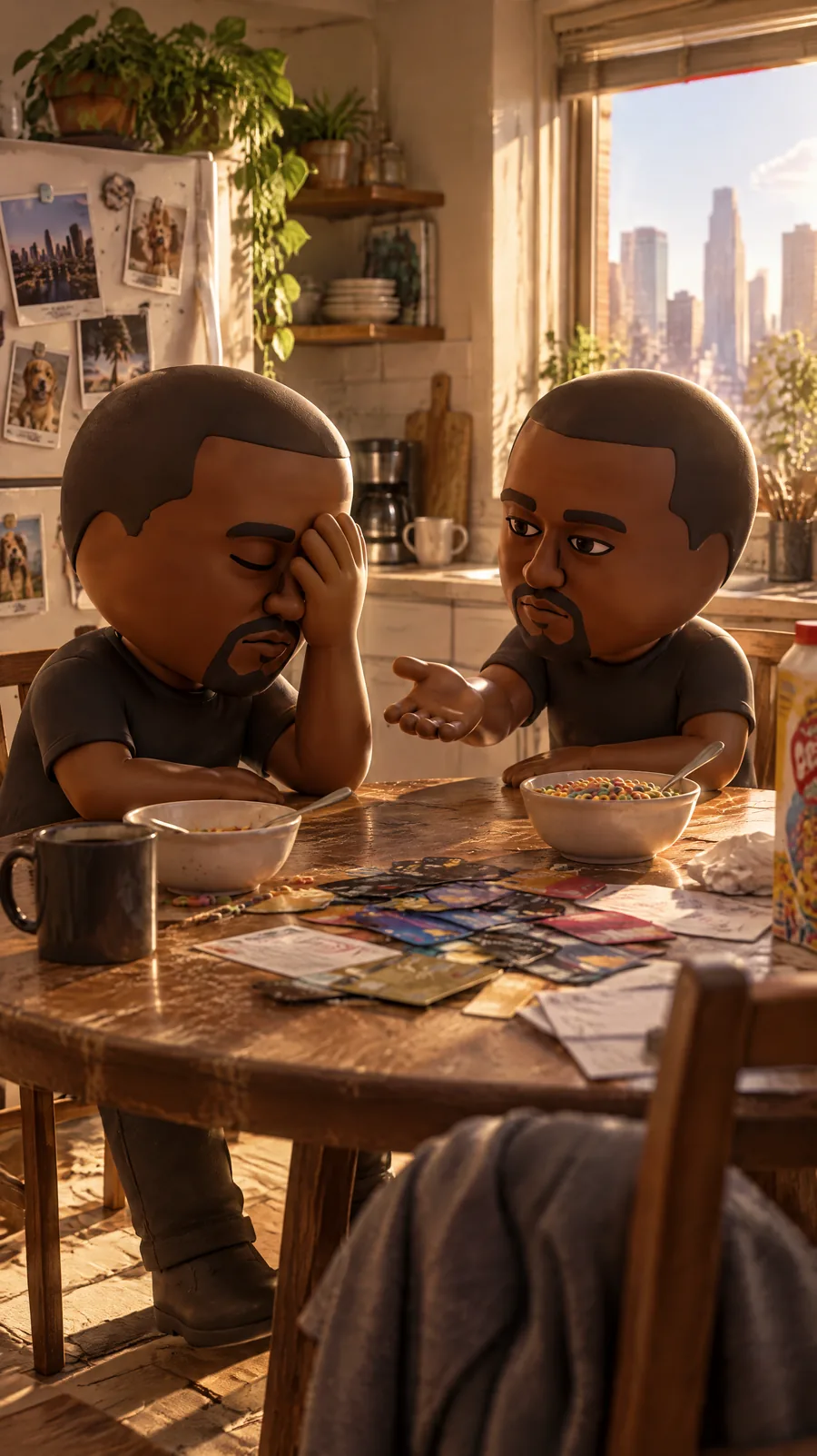
Scene 02His clone immediately asked for a salary.
Same character and exactly the same art style as the reference image: chunky 3D Mii-style avatar of Kanye West with an oversized round head, tiny dot eyes, smooth plastic skin, plain black T-shirt, in a realistic warmly lit 3D world with shallow depth of field. New scene, new camera angle, for the line "His clone immediately asked for a salary.": the two identical Kanye avatars sit across a small kitchen table in the morning. The clone leans forward holding out an open palm; the original Kanye face-palms. Sunlight through a window, cereal boxes and the pile of credit cards on the table. Vertical 9:16. No text, no captions, no logos.
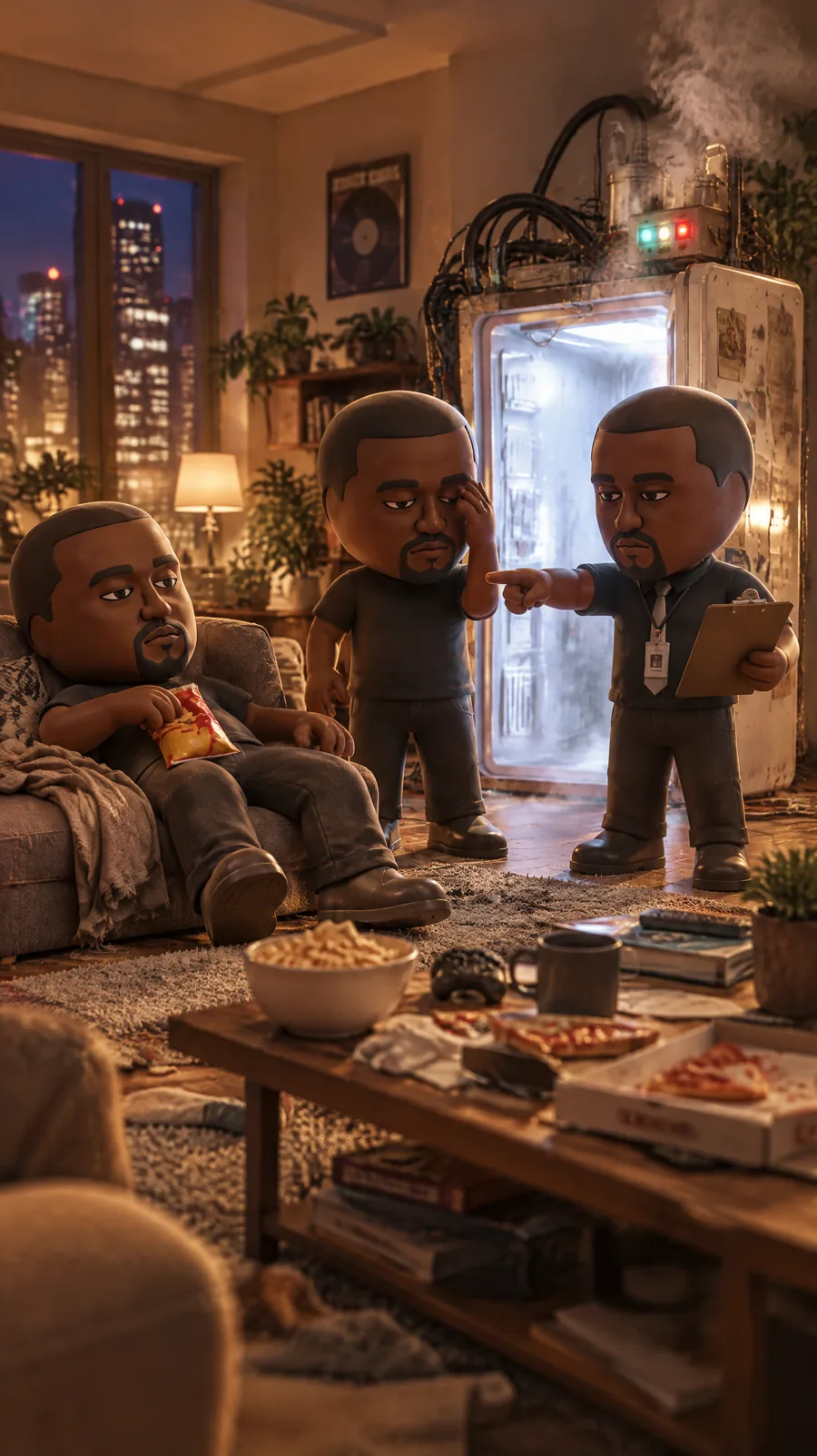
Scene 03So he made another clone to manage the first one.
Same character and exactly the same art style as the reference image: chunky 3D Mii-style avatar of Kanye West with an oversized round head, tiny dot eyes, smooth plastic skin, plain black T-shirt, in a realistic warmly lit 3D world with shallow depth of field. New scene for the line "So he made another clone to manage the first one.": three identical Kanye avatars in the apartment living room. The newest one wears a tie and a lanyard badge, holds a clipboard and points bossily at the first clone, who slouches on the couch with a bag of chips. The original Kanye stands between them looking exhausted. The homemade cloning machine in the background is letting out a puff of smoke. Wide shot, vertical 9:16. No text, no captions, no logos.
Look closely: scene 03 also used scene 01. We sent scenes 02 and 03 at the same time, so scene 02 was not ready yet. Scene 01 already had the man, the room and the machine, so it worked for both. The rule: attach the picture that already shows what the new scene needs. Usually that is the newest one you liked. When you send several scenes at once, give them all the same anchor. Then keep going, 98 times.
The magic words
Without "new scene", the model copies the pose and the room too. Say what stays. Say what changes.
In the API
Text to image sends a prompt. Image to image sends the prompt plus a link to the picture: input_urls for GPT Image, image_urls for Seedream. The Lab fills it in for you.
25 / 26 · Step 3Animation
98 sentences is too many to invent one by one. Give the script to ChatGPT, Claude or Gemini and ask for a scene list: what we see and how the camera moves, for every line.
Scene list prompt · paste the script under it
You are the director of a short animated ad. I will paste a script. Every sentence is one scene.

The look: [paste your style text from Step 1]
The main character in every scene: Kanye West as a Mii-style avatar, plain black T-shirt.

For EVERY sentence, in order, give me:
1. Scene number and the sentence, word for word.
2. WHAT WE SEE: who is in the shot, where they are, what they are doing. One clear idea. No text on screen.
3. CAMERA MOVE: pick one from this menu: push in, pull out, pan, tilt, orbit, track, follow, crane up, crane down, roll, handheld, locked.
4. WHAT MOVES: one short line describing the small motion in the clip (a head turn, a step, smoke, a door opening).
5. LENGTH: 4 seconds. Only if the sentence is long (more than about 12 words), make it 5 or 6 seconds, and say so.

Rules for the camera:
- Never use the same move two scenes in a row.
- Use the whole menu across the script. Big moments get big moves (orbit, crane, roll). Quiet lines get small moves (slow push in, gentle pan).
- "Locked" only on purpose, for a joke beat, at most 3 times in the whole script.

Keep every scene in the same world and the same style. Write it as a numbered list. Here is the script:

[paste all 98 sentences]
| Scene | Sentence | What we see | Camera |
|---|---|---|---|
| 01 | One man cloned himself to pay off his credit cards. | Kanye by the fridge machine at night, the clone stepping out, bills on the table. | push in |
| 02 | His clone immediately asked for a salary. | Kitchen table, morning. The clone holds out a palm, Kanye face-palms. | orbit |
| 03 | So he made another clone to manage the first one. | Three Kanyes. The new one in a tie points a clipboard at the lazy one. | pull out |
| 04 | The manager requested an assistant. | The manager clone at a tiny desk, ringing a bell. A fourth Kanye appears with a notepad. | track |
| 05 | The assistant recommended a human resources department. | The assistant pins a paper that says HR on the fridge door. | crane up |
| 06 | Human resources needed three more people. | Three more Kanyes squeeze through the apartment door at once. | handheld |
The LLM writes all 98 like this in one go. You fix the list before you make a single picture. Words are cheap. Pictures cost credits.
Two prompts per scene
Picture prompt = style text + "what we see". Clip prompt = "what moves" + the camera move. The list already has both parts.
While editing
Go back to the list, change the words for that scene, make the picture again, then the clip. The other 97 stay as they are.
The clip model
For these short clips we use Seedance 2.0 Mini: every clip is 4 seconds, 9:16 from your picture, about 8 credits per second at 720p. A long sentence gets 5 or 6 seconds so the voice fits. Seedance 2.5 is for the long 30-second talking clips.
26 / 26 · Camera movesAnimation
A picture that only wiggles feels dead. Every clip gets a camera move, and the moves take turns, like a real movie.
The camera moves
the picture should never just sit there.
Fig. 13 · sketch in progressThe camera slides closer. Feels like leaning in. Good for a secret or a worry.
The camera slides away and shows where we are. Good for a reveal or a joke.
The camera stays put and turns left or right, like looking around a room.
The camera stays put and looks up or down. Makes things feel tall or small.
The camera circles the hero. Feels epic. Save it for big moments.
The camera slides sideways next to the action, like walking beside it.
The camera stays behind someone who is walking. Feels like a journey.
The camera rises and sees the big picture. Good for "soon they had a city".
The camera comes down from high and lands in the scene. Good for a new place.
The whole picture tips sideways. Feels like chaos. Use once or twice.
A little shake, like a phone in a hand. Feels real and urgent.
No move at all. Only on purpose, for a dry joke. Three times max.
↺ Take turns. Close, around, away, beside, above, shaky. Never the same move twice in a row. Every clip: 4 seconds. A long sentence gets 5 or 6.
How to ask
"Slow push in on the man as the clone steps out of the machine." One move per clip. Every clip is 4 seconds, so two moves in one clip looks like a mistake.
Match the feeling
"The economy exploded" wants a crane up or an orbit. "His clone asked for a salary" wants a slow push in. The move tells the viewer how to feel.
The trap
If every clip just breathes in place, the video feels like a slideshow and people scroll. The camera is half the show.